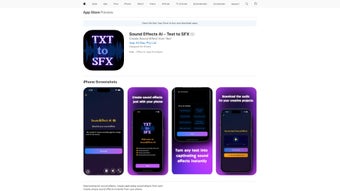

Download Sound Effects AI – Free AI Text‑to‑SFX Generator
Overview
Sound Effects AI is a cutting‑edge, web‑based software application that transforms plain textual prompts into fully‑realized, high‑quality sound effects. By harnessing deep‑learning models trained on massive audio datasets, the platform can interpret simple phrases such as “rain on a tin roof” or “laser blast from a sci‑fi ship” and instantly generate a matching audio clip that can be used in podcasts, video productions, game development, advertising, or any multimedia project. The service is designed for creators of every skill level: hobbyists can take advantage of a generous free tier that offers up to ten generations per month, while professionals can subscribe to a premium plan that removes limits, provides higher‑fidelity outputs, and unlocks advanced style controls.
Because the entire engine runs in the cloud, users never need to install heavyweight audio software or manage GPU resources; a modern browser and an internet connection are all that’s required. The platform also includes a lightweight, browser‑based editor that lets you trim, fade, and layer generated sounds before downloading them in MP3, WAV, or even lossless FLAC formats. Security is baked in: all communications are encrypted via HTTPS, generated files are stored temporarily, and the service complies with GDPR and CCPA regulations.
In short, Sound Effects AI offers an intuitive, fast, and secure way to bring custom audio to life without the traditional time‑consuming search through royalty‑free libraries or the steep learning curve of digital audio workstations.
Key Features & Benefits
- AI‑Powered Text‑to‑SFX Engine: Advanced neural networks interpret natural‑language prompts and synthesize matching soundscapes in seconds.
- Extensive Style Library: Choose from presets such as ambient, horror, sci‑fi, nature, urban, and many niche categories, each with adjustable intensity and duration.
- Flexible Pricing Model: A free tier with ten monthly generations and a premium subscription that provides unlimited access, priority processing, and lossless audio options.
- One‑Click Export & Sharing: Download files in MP3 (256 kbps) or WAV (44.1 kHz), or generate a shareable link for collaborative workflows.
- Cross‑Platform Browser Access: Works on Windows, macOS, Linux, Android, and iOS without any installation or plug‑ins.
- Secure Cloud Processing: All audio generation occurs on encrypted servers; files are automatically deleted after 24 hours.
- Continuous Model Updates: Monthly releases add new sound palettes, improve synthesis quality, and expand style options.
- Integrated Mini‑Editor: Trim silence, add fade‑ins/outs, and layer multiple clips directly in the web interface before download.
These capabilities translate into concrete benefits for creators. The AI engine eliminates the hours spent searching through generic sound libraries, while the style presets ensure the tonal mood matches the narrative intent. Premium users enjoy a competitive edge by producing limitless variations, which is especially valuable for episodic content creators who need fresh audio each week.
The built‑in editor reduces reliance on external digital audio workstations for simple edits, streamlining the production pipeline and cutting costs. Moreover, the cloud‑first architecture means even low‑end laptops or smartphones can generate professional‑grade audio, democratizing access to high‑quality sound design. Overall, Sound Effects AI positions itself as a cost‑effective, all‑in‑one solution that bridges the gap between textual imagination and auditory reality.
Installation, Usage & Compatibility
Zero‑Installation – Browser‑Only Access
Because Sound Effects AI is fully hosted online, there is no traditional installation process. Simply open a modern browser, navigate to soundeffectsai.com, and create a free account using an email address or OAuth providers such as Google or Apple. The responsive interface automatically adapts to desktop monitors, tablets, and smartphones, allowing you to generate audio wherever you have an internet connection.
Step‑by‑Step Workflow
- Sign Up / Log In: Register with your email or use a social login for instant access.
- Enter a Text Prompt: Describe the desired effect, e.g., “soft wind through pine trees” or “explosive sci‑fi laser burst”.
- Select a Style & Adjust Parameters: Pick a preset and fine‑tune intensity, duration, and frequency range to match your project’s needs.
- Generate: Click “Create Sound”. The AI processes the request in 2‑5 seconds and presents a playback preview.
- Refine (Optional): Use the built‑in editor to trim silence, add fades, or layer multiple outputs for richer textures.
- Download or Share: Export the final file in MP3 or WAV format, or copy a shareable link for collaborators.
Operating System Compatibility
The service works on any operating system that supports a current web browser, including Windows 10/11, macOS Ventura and later, major Linux distributions, Android 12+, and iOS 15+. Supported browsers are Chrome, Edge, Firefox, and Safari. Because processing occurs on remote servers, local hardware specifications have minimal impact on performance.
Performance Tips & Support
For optimal results, use a stable broadband connection (minimum 5 Mbps) and keep your browser updated. Premium users can enable “High‑Priority Queue” in settings to reduce latency during peak traffic. If you encounter any issues, a live‑chat help desk and extensive knowledge base are available 24/7. Exported files can be imported into any standard digital audio workstation for further polishing if needed.
Conclusion, Pros, Cons & Frequently Asked Questions
Pros
- Instant AI‑driven sound generation from simple textual prompts.
- Generous free tier that allows casual experimentation.
- No software download required; works on any device with a modern browser.
- High‑quality export options (MP3, WAV, FLAC for premium users).
- Regular updates add new sound palettes and improve synthesis fidelity.
- Built‑in editor streamlines basic editing without external tools.
- Secure cloud processing with GDPR and CCPA compliance.
Cons
- Complex, multi‑layered sound designs may still need a full‑featured DAW for advanced polishing.
- Free tier limits the number of monthly generations, which may be restrictive for heavy users.
- Audio generation speed can be affected by internet latency or server load during peak times.
- Lossless FLAC export is only available to premium subscribers.
Frequently Asked Questions
Is Sound Effects AI completely free to use?
Yes. The platform offers a free tier that allows up to ten sound generations per month, making it ideal for casual creators or for testing the service before committing to a premium plan.
What audio formats can I download?
Both MP3 (256 kbps) and WAV (44.1 kHz) are available for all users. Premium subscribers also gain access to lossless FLAC files for the highest audio fidelity.
Can I use the generated sounds commercially?
Yes. All sounds created with Sound Effects AI come with a royalty‑free commercial license, allowing you to incorporate them into podcasts, videos, games, advertisements, and other monetized projects without additional fees.
Do I need a powerful computer to run the AI engine?
No. The heavy processing happens on Sound Effects AI’s cloud servers, so even low‑end laptops, tablets, or smartphones can generate high‑quality audio as long as they have an internet connection.
How secure is my data and the generated audio?
All data transmission is encrypted with HTTPS, and generated audio files are stored temporarily (24 hours) before being automatically deleted. The platform adheres to GDPR and CCPA privacy standards.
Final Verdict & Call to Action
Sound Effects AI delivers a compelling blend of AI convenience, cross‑platform accessibility, and professional‑grade audio quality. Its free tier provides enough runway for hobbyists to explore the capabilities, while the premium subscription unlocks unlimited generations, lossless formats, and priority processing for power users. The integrated editor, regular model updates, and secure cloud architecture make it a versatile tool for podcasters, video editors, game developers, and any creator who needs custom sound effects without the steep learning curve of traditional audio software. If you’re ready to turn your textual ideas into immersive soundscapes in seconds, visit Sound Effects AI now, sign up for free, and start generating unique audio that elevates your projects.



.png)



